
Many learning apps launch with a long course library and a polished design, and still see most learners drop out after the first week. Content alone does not finish a course. The product around it does. Good e-learning app development focuses on the moments where people lose interest and builds features that carry them past those moments.
This guide covers the engagement tools, analytics and content delivery features that help learners complete courses, plus what to plan before you build.
Table of Contents
- Why Completion Is the Real Goal
- E-Learning App Development: 7 Features That Drive Completion
- 1. Short, Focused Lessons
- 2. Engagement Tools That Keep People Coming Back
- 3. Fast, Flexible Content Delivery
- 4. Clear Progress and Personal Paths
- 5. Learning Analytics for Admins and Learners
- 6. Smart Reminders and Nudges
- 7. Accessibility and Language Support
- Core Features Every E-Learning App Needs
- What E-Learning App Development Costs and How Long It Takes
- Choosing a Tech Approach
- Steps in E-Learning App Development
- Mistakes to Avoid
- How LP Technologies Can Help
- Frequently Asked Questions
- Final Thoughts
Why Completion Is the Real Goal?
Enrolments look good on a dashboard, but they do not show learning. Completion does. It is also hard to win.
Two early studies of massive open online courses (MOOCs) show how steep the drop-off can be. A University of Pennsylvania study of about one million users across 16 free Coursera courses found that only 4% finished (Higher Ed Dive). Another analysis of 29 courses put the average at 6.8% (Times Higher Education). Both studies date from 2013 and cover free, open courses with no deadlines or employer backing, so your app can do far better. Still, they show a simple truth: people start more than they finish.
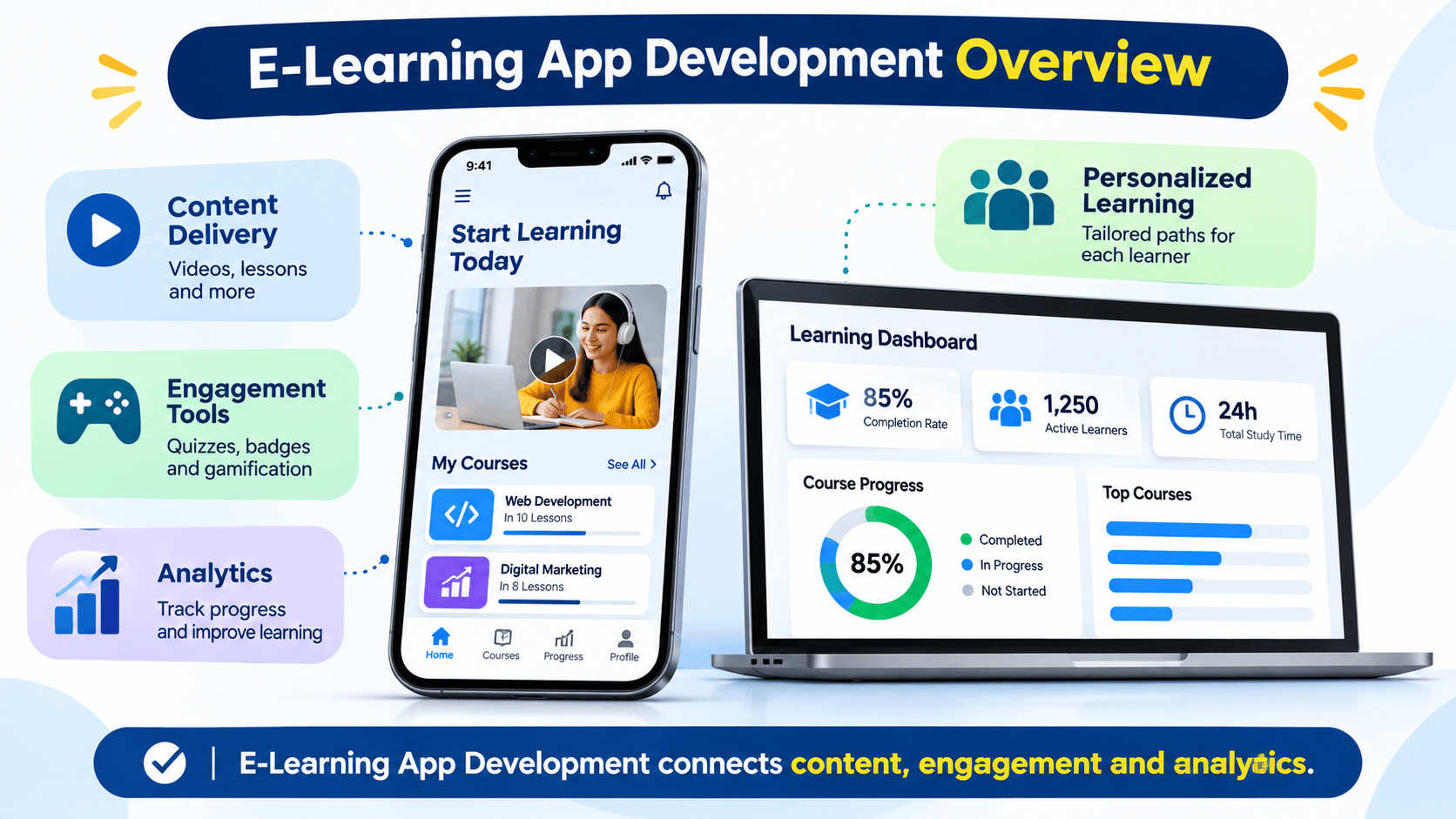
That is why e-learning app development should start with one question: what will make a learner come back tomorrow?
E-Learning App Development: 7 Features That Drive Completion
1. Short, Focused Lessons
Long videos and dense pages are easy to postpone. Lessons built around one idea, taking five to ten minutes, fit into a commute or a coffee break. Good e-learning app development supports this with a content model that splits courses into small units, each with a clear outcome.
Short units also make progress feel quick. Finishing three lessons in a day builds momentum that a single 90-minute module never does.
2. Engagement Tools That Keep People Coming Back
Engagement tools turn passive viewing into active practice. The most useful are:
- Quizzes and knowledge checks. Retrieving information helps memory, and instant feedback shows learners where they stand.
- Badges, points and streaks. Light gamification rewards steady effort. Keep it tied to real learning, not empty clicks.
- Discussion and Q&A. Learners who can ask questions are less likely to get stuck alone.
- Live sessions and cohorts. A shared start date and a group create accountability.
- Certificates. A visible reward gives learners a reason to finish, especially in professional training.
Gamification works best when it is simple. Too many points and levels can distract from the lesson itself, so test with real users before you add more.
3. Fast, Flexible Content Delivery
Learners will not wait for a spinning wheel. Content delivery shapes whether people stay.
- Adaptive video streaming. Quality adjusts to the connection, so lessons play on weak mobile data.
- Offline downloads. Learners can study on flights, in transit or in areas with poor coverage.
- Mixed formats. Video, audio, text, slides, PDFs, live classes and interactive exercises suit different habits.
- Resume anywhere. Start on a phone, continue on a laptop, and pick up at the exact second you left.
- CDN hosting. A content delivery network serves files from servers near the learner, which keeps loading fast across regions.
If you work with existing courses, check whether they use standards such as SCORM or xAPI. Supporting them lets you import content you already own.
4. Clear Progress and Personal Paths
People stay motivated when they can see how far they have come. A progress bar, a “continue where you left off” button and a clear list of what is next remove friction.
Personal paths go further. A short placement quiz can skip content a learner already knows, and recommendations can suggest the next course based on role or goals. Adaptive learning does not need advanced AI to start. Simple rules, such as “if the score is below 60%, show a refresher lesson,” already help.
5. Learning Analytics for Admins and Learners
Analytics turn e-learning app development from guesswork into improvement. A good dashboard shows:
- Enrolments, active learners and completion rates by course
- The exact lesson or quiz where most learners drop off
- Average time spent per lesson
- Quiz scores and the questions most people get wrong
- Results by team, department or cohort for corporate clients
With this data, you can fix a confusing video, shorten a long module or rewrite a weak quiz question. Learners benefit too, with a personal view of their scores, time studied and streaks.
Plan analytics early. Tracking lesson starts, finishes and quiz attempts is easier to build in from day one.
6. Smart Reminders and Nudges
Most learners do not quit on purpose. They get busy and forget. Reminders bring them back:
- Push notifications and emails for upcoming lessons or deadlines
- Streak alerts that warn before a streak breaks
- Manager or instructor nudges for corporate training
- A friendly message after a few days of inactivity
Keep reminders useful and let people control them. Too many notifications push learners to switch them off altogether.
7. Accessibility and Language Support
An app that not everyone can use cannot be completed by everyone. Accessibility helps learners with visual, hearing, motor or learning differences, and it improves the experience for everyone else too. Follow the WCAG guidelines from the W3C for captions, colour contrast, text scaling and keyboard support.
For the UAE and wider region, Arabic and English support, including right-to-left layouts, is often essential. Subtitles and transcripts help too, as many people watch lessons without sound.
Core Features Every E-Learning App Needs
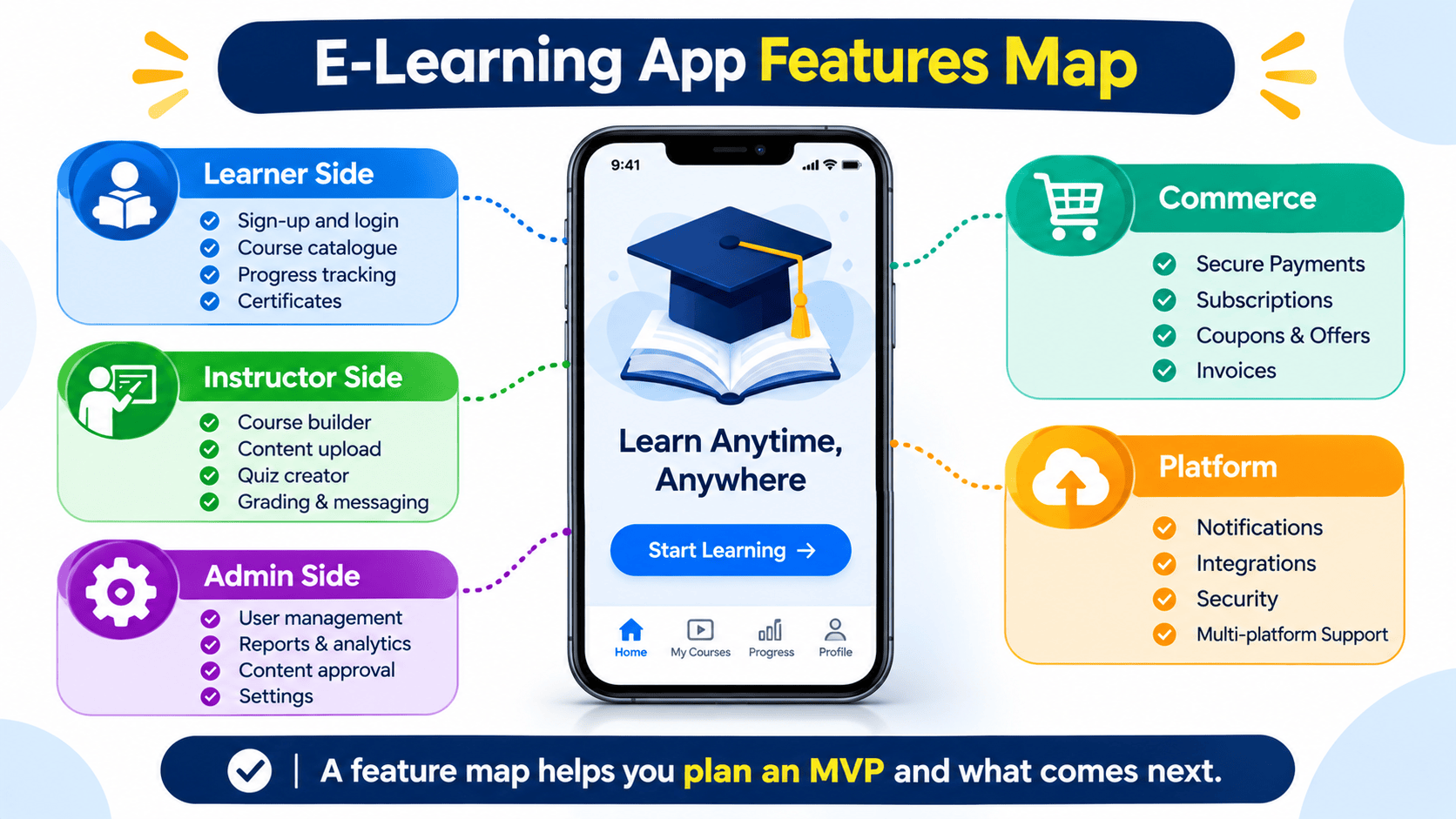
Beyond the seven features above, most e-learning app development projects include a base layer:
| Area | Features |
|---|---|
| Learner side | Sign-up and login, course catalogue, search, my courses, progress tracking, certificates |
| Instructor side | Course builder, content upload, quiz creator, grading, learner messaging |
| Admin side | User and role management, reports, content approval, settings |
| Commerce | Payments, subscriptions, coupons, invoices |
| Platform | Notifications, integrations, security, backups |
If you sell courses, a secure checkout matters as much as the lessons. Our ecommerce and fintech experience helps here, from payment gateways to subscription billing.
What E-Learning App Development Costs and How Long It Takes?
Cost depends on scope, platforms and customisation. Plan by phase:
| Stage | Typical scope | Relative effort |
|---|---|---|
| MVP | Core courses, video, quizzes, progress, basic admin, one platform | Lowest |
| Growth | Gamification, analytics, reminders, certificates, payments | Medium |
| Advanced | Live classes, adaptive paths, AI recommendations, white-label, multiple platforms | Highest |
Cost drivers include the number of user roles, video hosting, live streaming, offline mode, integrations with HR or CRM systems and the level of security needed. Costs vary widely, so a short discovery workshop gives a far more reliable estimate.
Starting with an MVP is usually smartest. Launch the core learning loop, watch how people use it and add features based on evidence.
Choosing a Tech Approach
- Native apps (iOS and Android). Best performance and offline support, at higher cost.
- Cross-platform apps. One codebase for both stores, which suits most learning apps.
- Off-the-shelf LMS. Cheapest to start, though harder to customise and brand.
- Custom build. Best fit for unique workflows, special reporting or a product you plan to sell.
For many teams, a cross-platform MVP with a web admin panel balances speed and cost.
Steps in E-Learning App Development
- Define the learner and the goal. Who is learning, what should they achieve and how will you measure completion?
- Plan content. Decide formats, lesson length and who creates the material.
- Design the experience. Map journeys, then wireframe and test prototypes with real learners.
- Build in sprints. Deliver working features every few weeks for early feedback.
- Test. Cover performance on slow networks, security, accessibility and different devices.
- Launch and measure. Track completion, drop-off points and satisfaction from day one.
- Improve. Use analytics to refine lessons, reminders and features every month.
Mistakes to Avoid
- Building every feature at once. Start with the core loop and grow.
- Copying content from classrooms. Hour-long lectures rarely work on a phone.
- Ignoring offline use. Poor connections end more sessions than bad content.
- Over-gamifying. Points should support learning, not replace it.
- Skipping analytics. Without data you cannot see where learners leave.
How LP Technologies Can Help?
LP Technologies is a software development company in Dubai that builds web and mobile products for businesses. For e-learning app development, we help you plan the learner journey, design clear screens, build secure apps and set up the analytics that show what is working.
Our software development services cover mobile apps, web platforms, integrations and ongoing support. You can see how we deliver in our case studies, or learn more about our team.
Frequently Asked Questions
Q. What is e-learning app development?
Ans. It is the process of designing and building apps that deliver courses, quizzes, progress tracking and reports to learners on mobile and web.
Q. Which features improve course completion the most?
Ans. In e-learning app development, short lessons, reminders, visible progress, quizzes, offline access and community features all help. Test them with your own learners to see which matter most.
Q. How long does e-learning app development take?
Ans. An MVP often takes a few months, while a larger platform with live classes, payments and analytics takes longer. A discovery phase gives a firmer timeline.
Q. Should I build a custom app or use an LMS?
Ans. An LMS is quick for standard training. A custom app is better when you need your own brand, unique workflows or a product to sell.
Q. Does e-learning app development need offline mode?
Ans. Not always, but it is valuable for commuters and regions with weak connectivity, and it often raises completion.
Final Thoughts
Learners finish courses when the app makes learning short, clear, rewarding and easy to resume. Strong e-learning app development combines focused content, engagement tools, fast delivery and analytics that show where people drop off. Start with a lean MVP, measure completion from day one and improve step by step.
Ready to build your learning platform? Book a call with LP Technologies and we will help you plan the right first step. Want more practical guides? Explore the LP Technologies blog.

Leave a Reply